Google Authorship: Move rel=”author” on your head
Since June 2012, Google is now allowing rel=author markup through a link element in the head of your site. This makes adding rel=author to your site properly a lot easier.

Since June 2012, Google is now allowing rel=author markup through a link element in the head of your site. This makes adding rel=author to your site properly a lot easier.

Setting up a blog is a fairly easy thing to get started. However, there are so many resources available to you that it can be overwhelming. To avoid such things and making your niche blog, I have produced my own list of things that you should do/have before starting a blog.
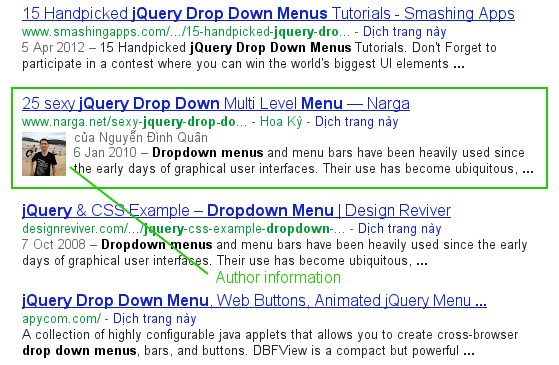
“Google Authorship” is one way that Google is tweaking the search results in order to improve the searching experience. Google displays the picture of the author right in the search results in order to help users to find great content. There is no guarantee that Google will display your Authorship information. But unless you help Google to figure out who you are, then you have no chance at all!
Google Buzz is a new way to publish your ideas to the world or just to your closest friends, and start conversations about the things you find interesting. It has an option to see thumbnails with each post, and browse full-screen photos from popular sites.
Here are some tips that help you use Google Buzz in new interesting ways.

With so many hosting businesses out there how can you ensure you choose one of the more reputable ones? If your website is experiencing immense growth, it may be better to host the site on a VPS. There, I have put down all the important points about VPS hosting and I hope it helps you to understand and to choose your right web hosting.
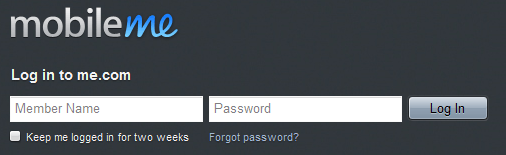
Inline labels are nothing new – in fact the easiest way to label a field is to simply set the field value up front and blow it away when the field gains focus. This is handy way for designers to save space and make their designs cleaner all-around. Unfortunately for us developers, simply setting the input value isn’t very semantic or usable then you can’t do it simple.

While working on form design, I encountered some issues when using images as submit buttons when use some browsers.
You can include images in a <button> tag, but not in an <input> tag, amoung other differences. They are very similar but the tag has a few extras that can be useful on the odd occasion.

If you know anything about attribute selectors, that should look familiar to you. Basically, it is saying, apply the attribute target=”_blank” to all links that begin with http. I have written a few lines of jQuery code that will convert all external links (i.e. links that begin with http) to links opening up in a new window by injecting the target=”_blank” behind the screens.
Using the Google AJAX Libraries CDN eliminates one request to your site, allowing more of your local content to downloaded in parallel. It doesn’t make a gigantic difference for users with a six concurrent connection browser, but for those still running a browser that only allows two
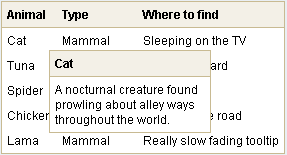
BoxOver uses javascript / DHTML to show tooltips on a website. Implementation of the tooltips, however, requires no knowledge of DHTML or javascript. Move your mouse over the items below to see examples. BoxOver is free and distributed under the GNU license.
There are many tweaks which can be set to customise it to your needs by setting through a tag’s “title” attribute. Some of them are very useful.
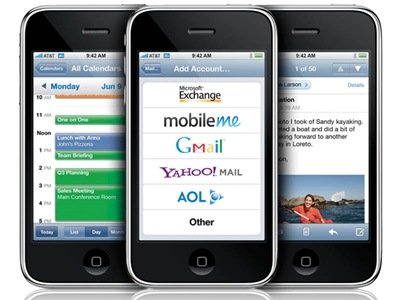
WordPress is a very popular PHP based Open Source blogging tool. By installing mobilizer plugins, your wordpress blog becomes mobile friendly, and all your previous blog postings become immediately mobile-accessible with a minimum effort on your part. Below is amazing Plugins to view your Wordpress Blog on any Mobile Device (iPhone, PDA…).