Lazy Loader

Improve Your Page Performance With jQuery Lazy Loader

Lazy loader is a jQuery plugin written in JavaScript. It delays loading of images in (long) web pages. Images outside of viewport (visible part of web page) wont be loaded before user scrolls to them. Using lazy load on long web pages containing many large images makes the page load faster. Browser will be in ready state after loading visible images. In some cases it can also help to reduce server load. Lazyloader inspired by YUI ImageLoaderUtility by Matt Mlinac.

Lazy Loader
Lazy Loader

Lazy loading is a design pattern commonly used in computer programming to defer initialization of an object until the point at which it needed. It can give to efficiency in the program’s operation if properly and appropriately used.


Read more

Simple and Lightweight but Powerful CMS Solutions

13 Simple & Lightweight but Powerful & Free CMS Solutions

CMS or Content Management Systems is a very efficient tool to keep up and manage websites and the content thereof. But how well a CMS caters to your requirements depends a great deal on your choice of the same. There are so many available, all with different features, it can be difficult to decide which is the best solution for a particular web project. For simple sites, lots of bells and whistles can be overkill and actually be a bit confusing for the person maintaining the website.

Simple and Lightweight but Powerful CMS Solutions

In this article, you’ll find 10+ Simple and Lightweight but Powerful and Free Content Management Systems that may not garner as much attention as their more popular counterparts – but should.

Read more

Input vs. Button

Input vs Button – Which to use?

While working on form design, I encountered some issues when using images as submit buttons. The input with the type=”submit” is either too ugly (Firefox), a little buggy (Internet Explorer) or completely inflexible (Safari). The solution for most is to use image inputs and create the damn things ourselves.
View this example:

Read more

Highlighting Author Comments in Wordpress

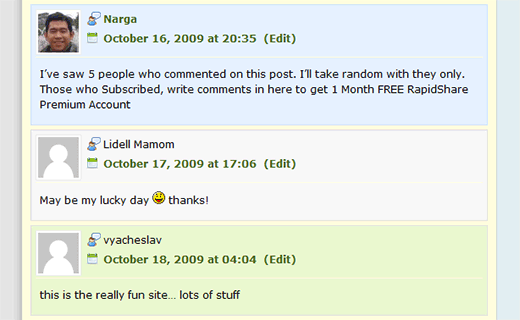
How to Highlight Author Comments in WordPress using CSS

Many blogs highlight the author’s comment in the comments section. I’m talking about how to highlight comments posted by the author of the article. You can use many plugins to get this effect (For eg., the Highlight Author Comments Plugin) – but you don’t have to. You can get the get the same effect by adding a small bit of CSS code to your theme.

Highlighting Author Comments in WordPress

Most snippets will target and try to find author’s email or user id, but that actually slows your site down. Why not using CSS selector and find author’s comment and change the background color so it is easily pointed out. Pretty smart. After that, it was a simple matter of times to see the result.

Read more

Social Bookmarking Link Codes

45+ Most Popular Social Bookmarking Link Codes for WordPress

Social bookmarking is a method for Internet users to share, organize, search, and manage bookmarks of web resources. Unlike file sharing, the resources themselves aren’t shared, merely bookmarks that reference them. With Social Bookmark websites, users can save and categorize a personal collection of bookmarks and share them with others. Your visitors can now bookmark and submit your websites to all their favorite social bookmark services with the ease of a single click.
So how can we encourage more people to share our links? One of the easiest options is to include a set of links at the bottom of your posts which readers can click to automatically vote for your article.
Social Bookmarking Link Codes

In this post, I’ve written the WordPress codes for 45+ of the most popular social bookmarking and networking sites out there.

Read more

15+ promising jQuery Lightbox-Clones plugins

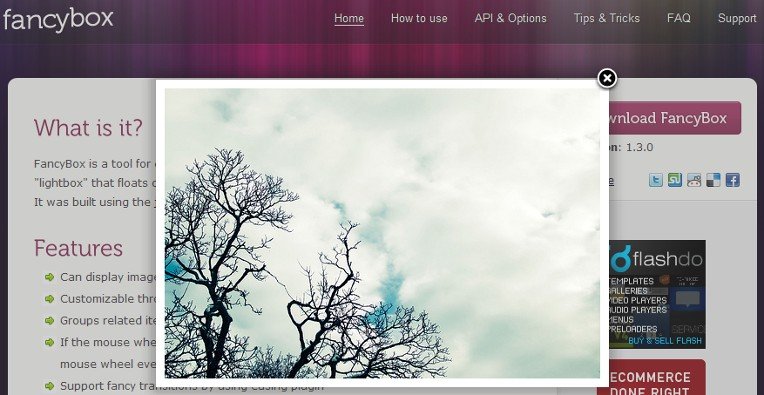
Lightbox, and the newer Lightbox 2, is a JavaScript application used to display large images using modal dialogs. On a Lightbox-enabled page, a user can click an image to have it magnified in a Lightbox window, which resizes itself according to the size of the image using a gliding animation. Lightbox determines which images will be shown in the modal window through the XHTML “rel” attribute, which is used on an <a> element wrapped around the <img alt="" /> element. Lightbox also provides a way to attach captions to images and to run a slide show, which can be navigated using the arrow keys.

Fancy lightbox alternative

The script has gained widespread popularity due to its simple yet elegant style and easy implementation. While it was initially developed from scratch, Lightbox has since been modified to use a number of JavaScript libraries (such as the Prototype Javascript Framework and jQuery for its animations and positioning), to reduce the size of the code. The release of Lightbox encouraged other developers to work on similar projects, resulting in products such as 15+ Promising jQuery Lightbox plugins.

Read more

External Links

How to Open All External Links in a New Window/Tabs by using jquery

Do you ever know the way to open an external link in a new windows or tabs is one of The Top Ten Web Design Mistakes of 1999?

Opening up new browser windows is like a vacuum cleaner sales person who starts a visit by emptying an ash tray on the customer’s carpet. Don’t pollute my screen with any more windows, thanks (particularly since current operating systems have miserable window management).
Designers open new browser windows on the theory that it keeps users on their site. But even disregarding the user-hostile message implied in taking over the user’s machine, the strategy is self-defeating since it disables the Back button which is the normal way users return to previous sites.

I discovered right away is that the <a> tag does not allow the target attribute in XHTML Strict (nor does it in HTML Strict).

External Links
Open external links

However, the behavior of <a target="_blank"'> can be replicated in XHTML Strict with semantic markup and scripting.

Read more

Google's Ajax Libraries API

Google CDN: use AJAX Libraries API to Speed up your Ajax apps

Google's Ajax Libraries API

I don’t use a lot of JavaScript, but as you probably know, I’m a fan of offloading things to other people when it can save me the hassle of doing it myself.
A CDN — short for Content Delivery Network — distributes your static content across servers in various, diverse physical locations. When a user’s browser resolves the URL for these files, their download will automatically target the closest available server in the network.

Read more

Animated Drop Down Menu with jQuery

25 sexy jQuery Drop Down Multi Level Menu

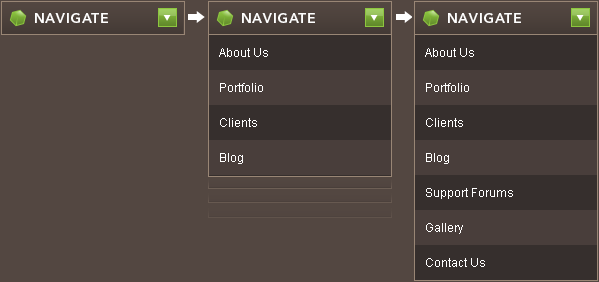
Drop-down menus and menu bars have been heavily used since the early days of graphical user interfaces. Their use has become ubiquitous, and even expected, in desktop applications, and the web has quickly followed suit. There are lots of drop down menus already out there. Here you’ll find 25 sexy jQuery and CSS based drop-down or just multi level menu tutorials with down loadable files and explanations as well.

Read more

Wordpress logo

WordPress 2.9 Carmen With New Features Every Developer Must Know

Wordpress logo

On December 18th, 2009, WordPress Version 2.9, named in honor of magical jazz vocalist Carmen McRae, was released to the public before the year ends. You can upgrade easily from your Dashboard by going to Tools > Upgrade, or you can download from WordPress.org. The WordPress 2.9 requires MySQL 4.1.2 or greater.
You can read the full list of new features, changes, upgrades, and improvements on the WordPress Codex. Following is our list of resources for more significant features/changes from developer’s point of view:

Read more

Narga v6.5 Redesigned

Happy new year! 2010 and I’m back after website redesigned

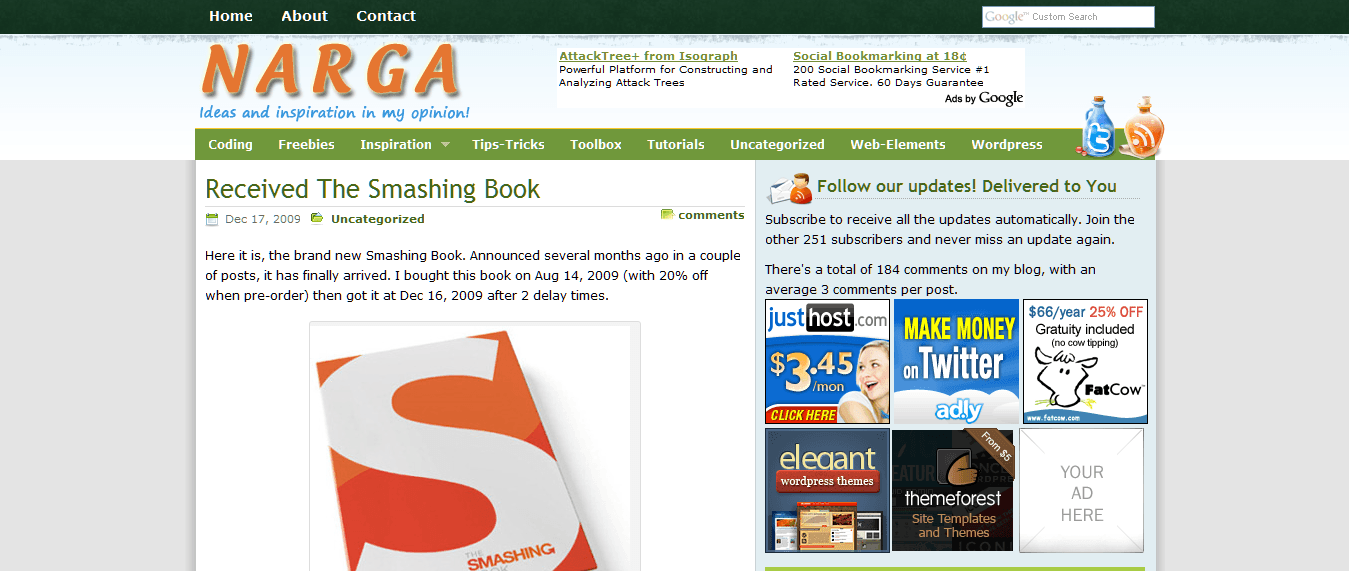
I’ve rolled out a new design for Narga since yesterday evening. You may have noticed that I haven’t updated the blog for last months now. This is first post of this year to let you know that I’m back.

What happened?

I’m not going to lie to you, the main reason I stopped creating tutorials, themes and plugins is because I wasn’t very motivated and didn’t have much time either. The last redesign was one years ago, used table layouts, a lot of image files, and as a result was really sluggish. It’s definitely not good when your site takes almost ten seconds to load and you’re marketing speedy web hosting.

Narga v6.5 Redesigned

I started new design on this in mid October, 2009, the layout changed many times in the first couple of weeks before I (mostly) settled on what you see now. Since then though I’ve rewritten the ‘theme’ behind this half a dozen times, still not sure I’m entirely happy with it, but its better than before.

Read more