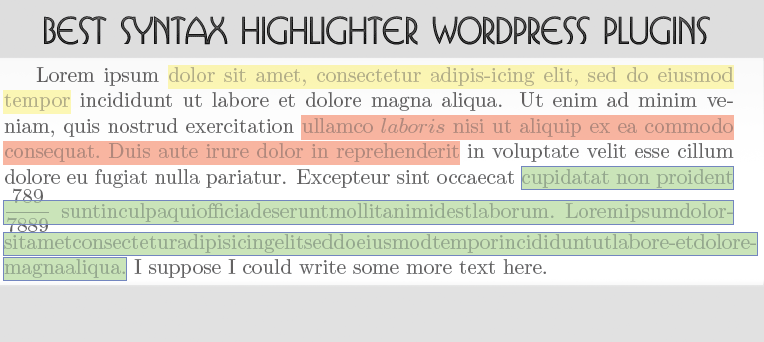
WordPress is using TinyCME as default editor, so displaying code within a post is not an easy task. That is why there are some amazing developers who create plugins to make that solve this niggly issue.
However, there are some simple and effective ways to do this by use WordPress code snippet plugins or 3rd-party services there can help you maintain the original formatting of any code being inserted in WordPress posts and make your blog a lot more appealing to the readers.
Following are a list of best WordPress plugins or 3rd-party services to highlight code snippets within your blog that I have personally tried.
3 Steps Digital Marketing Guide for Small Business’ Success In 2014
In this article, you’ll learn…
- How important it is for small businesses to adopt digital marketing.
- Tips and tricks for successful Digital marketing guide for small businesses
- Three steps that will help small business to succeed in the digital world
How To Stop WordPress Spam Comments?
Are you hate Spammers, especialy WordPress comments and trackbacks spam? Me too, I received 500 – 1000 comments, trackbacks and registration spammers. For most blogs, comment spam is the biggest issue they have to deal with and they’re deleting it manually each and every day.
Fortunately, there are simple measures that can be taken to keep this from becoming a massive problem. Now it’s time to protect wordpress site from spammers. In this post you will learn how to prevent spam comments and known how I have successfully locked down comment spam using several diff techniques that work for me.
Choosing a WordPress Theme That Will Work Long-Term
Online publishers have a number of important decisions to make and one of these is which WordPress theme to use. You want a theme that can survive long-term because frequent changes are time-consuming and they can alter how people view your site. You want something that offers a great deal of security, plenty of style, and a dash of integrity. This will help to make sure that your theme is able to stand up to the ever-evolving environment of Internet publishing.
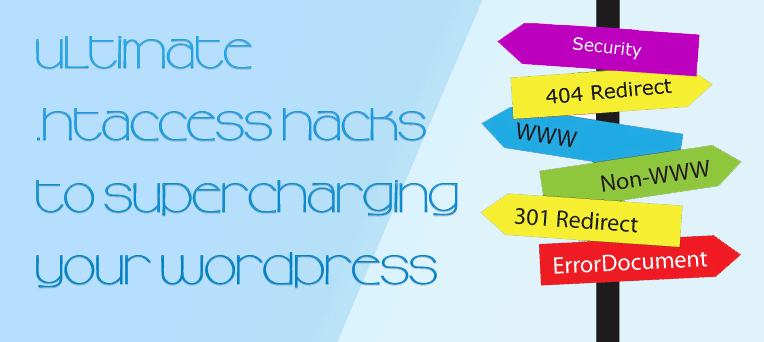
Ultimate .htaccess Hacks to Supercharging your WordPress websites
There are several ways to improve your WordPress websites. Once you are done playing with the WordPress dashboard, plugins and themes then you must take a look to .htaccess. The .htaccess file is the easiest and the cheapest (actually it’s free!) solution to supercharging your WordPress websites but there are also some basic Apache knowledge requirements.
Jetpack’s bloat, replace Jetpack’s modules with other plugins
JetPack is all-in-one WordPress plugin developed by Automattic, made up of a bunch of useful modules, they called it as super-plugin. When I first heard about Jetpack, I was excited about the potential for WordPress.com features to be shared with WordPress.org users. It’s good choice (must have) when you start a WordPress website and in some previous post, I’ve told why do you should active JetPack first. But all-in-one or everything functionality plugin is not good for you, sometimes you will feel it

Simple Tips for Creating Attractive Contact Page
Contact pages can often be just as important as a website’s homepage. A good contact page is essential for maintaining relationships with your visitors. It is the channel your users and clients have to communicate with you. It can help a lot in increasing the sales and conversation rates of a website. However, sometimes, most of the users ignore this feature in a lot of websites.
Following are some of the simple important tips will definitely lead you to design a perfect, elegant and attractive Contact page. Let’s put that right.
WordPress Black Friday & Cyber Monday 2013
Black Friday and Cyber Monday are two of most craziest shopping days in the entire United States. It’s that time of year again. Every year the WordPress world fully embraces these holidays by giving big discounts off their pricing. This year we wanted to bring you a list of some of the biggest and best WordPress deals for Black Friday and Cyber Monday 2013.
Our list below will be updated every day, so don’t forget to check back here or follow us on Twitter to discover the latest deals! If you have a deal you would like added to this list that would benefit our readers, please let us know by adding it to the comments below!
Important Factors To Consider Before Selecting A Web Host For Your Business
Choosing the right hosting company for your websites can be a difficult endeavor, especially if you have little experience in this domain.
When you need to choose a hosting service, I think most of us will look at price first and then at host specification packages. Although the price is also an important factor, however, it should not be the first.
Configuring Apache/PHP/MySQL for Low Memory (RAM) VPS
As you known, I’ve moved from HostGator to DigitalOcean for two months and I shared some tips to build your own perfect LAMP server optimize for WordPress. With the VPS expansion you can now get a (very) small virtual private server (VPS) for a very affordable price. However, when you get a server with something like 256MB or 512MB RAM and a portion of CPU power, using default MySQL/PHP/Apache settings is a pretty bad idea. Currently, I’m running 3 websites with DigitalOcean‘s lowest plan: 512MB RAM/1 CPU. Not sure for load, but lets say 5-10k visitors per day.
If you follow my guidelines in previous post, RAM usage will be increase up to 400 MB then running out in 1 – 2 weeks even you turned on swap. How to minimize memory usage on LAMP to prevent your server crash?
I’ve setup a working VPS Ubuntu 12.04 LTS, LAMP server in 512MB of memory and it hasn’t gone into swap yet. It typically runs in just over 256 – 378Mb of memory and performs really well. So I thought I’d share the process of setting it up.
How to use Featured Post Image in NARGA child theme
I’ve crafted NARGA as WordPress starter theme to help me make another WordPress theme without built it from zero and save loads of time in the process.
Child themes are not as difficult as they may appear. The benefits of working off a parent theme means you don’t need to write all the HTML/CSS from scratch. A child theme will automatically use any template files you include, such as content.php or footer.php. But if they are missing, then your child theme will pull the same files from its parent.
When you write a post, you will find the way to set a featured image of post, that’s aweasome feature to make your website more attraction. In this short tutorial I am going to display and explain the code for getting the Featured Images to fit your needs.