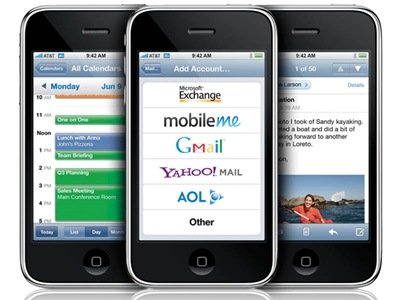
WordPress is a very popular PHP based Open Source blogging tool. By installing mobilizer plugins, your wordpress blog becomes mobile friendly, and all your earlier blog postings become ready to mobile-accessible with a minimum effort on your part. Below is amazing Plugins to view your WordPress Blog on any Mobile Device (iPhone, PDA…).
FeedBurner, Delicious and Twitter provided a way to showing you the several times the URL of the current page has actually appeared on their services. So the visitors assessed to your website can know How many people were Subscribed your feed url, how many people you have bookmarked your website url at Delicious or how many follower of your Twitter account …
Simple, their counter buttons are ugly. They don’t match with all the designs, and on most designs they just look ugly. The ability to display the subscriber count gives you a lot of control over styling and make the count work with your design. Therefore in this article we will share a way you can display FeedBurner subscriber, Twitter followers, Delicious saver count as text in WordPress (it also has the same effect in other blog, cms platform) which allows you can style it and make it look like a part of a design rather than a copy and paste.
When using third-party input methods on macOS, you may encounter a situation where you suddenly cannot type in your desired language. This is typically caused by macOS’s Secure Input feature being activated. When enabled, all keyboard software—except for the native macOS input source—is excluded from the input process, and special character functionalities cease to work.
Secure Input is a security feature that activates when you enter sensitive information (such as passwords) to prevent other applications from logging your keystrokes.
So, how can you resolve this issue without interrupting your work?
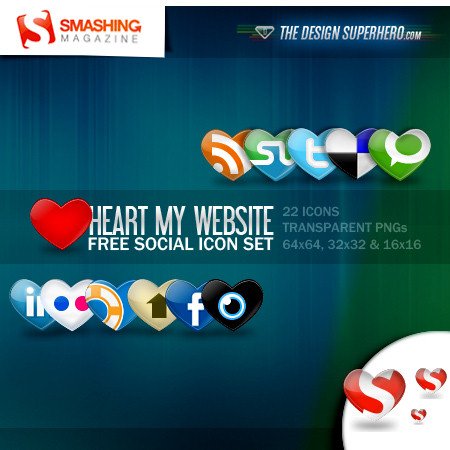
I often spend hours in the day for collection website graphical elements for preparation for upcoming projects. I have a full set of social bookmark icons, high quality fonts, mini and pixel icons and fonts, … Today, I’ve created a list of 10 Awesome Social Bookmark Icons Sets that you can use for your blog for bookmarking.
Are you see the button on the left side? It is very similar to retweet and digg buttons! Currently, almost everyone has a Facebook account, so along other social networks, Facebook can also be source of quality blogs’ visitors.
Unlike Twitter, Facebook doesn’t give a way to see what’s being shared by users outside one’s network. Now, with fbShare service you can showing the number of times the URL of the current page has actually appeared on Facebook (like the TweetMeme or Digg button) and allows visitors to share it themselves.
You feel the buttons are not beautiful in form and display on different browsers. CSS buttons are much more efficient than image-based buttons because they’re entirely text-based. If you are looking for a simple and effective way of creating dynamic CSS buttons with cross browser compatibility, these tutorials are for you.
Below, you will find the CSS Tutorials and Techniques to make CSS Button Styling
Safari is a web browser developed by Apple Inc. First released as a public beta on 7 January 2003 on the company’s Mac OS X operating system, it became Apple’s default browser beginning with Mac OS X v10.3 “Panther”. It is the most popular browser in the world that even Mac Windows and Linux users are known. Currently, Safari web browser available on the Mac, Windows, iPhone, or iPod touch environments.
Safari plugins
However, web development using Safari may still seems a bit troublesome compare to Mozilla Firefox. Previously, the addition of new features for Safari by developers 3rd almost impossible because your browser does not support plugins. Now it has come true.
Note: Many plugins work through something called SIMBL (Simple InputManager Bundle Loader), which is basically a little tool that helps developers manage and run their code as plugins for the different applications on OS X. It’s free.
In the previous article, you already know a number of services to help you convert your website to the mobile version which compatible with mobile devices. However, using third-party web development services are more limited, customization capabilities depending on the vendor even if you have to pay to get better service. By building a website ready for mobile version delivers more benefits than the cost of maintenance and system upgrade.
Build mobile website
During construction, there are several unique issues for mobile devices is completely different from the normal computer.
FatCow “Farm-Fresh” is a new free icon set, containing exactly 1000 with 2000 more to come 16-by-16 and 32-by-32 pixel icons. Formats include ICO (PC, desktop), PNG (web, toolbars, UNIX), GIF (alive?!), DMG (Mac). These are Fatcow’s Amazing variety of icons related to web design / development / web hosting available free to download.
Free Farm-Fresh Web icons
These icon sets are licensed under a Creative Commons Attribution 3.0 License. This means you can freely use these icons for any purpose, private and commercial, including online services, templates, themes and software. However, you should include a link to this page in your credits.
Currently, mobile network infrastructure supports for the connection with the Internet from mobile devices such as smartphones, PDA, mobile phone … Mobile (Smart. PDA) phones have become an inevitable tool for communication and keeping up with information. The availability of WAP and regular browsers on mobile phones, a lot of people consume Internet content while on the go. With statistics from the Internet, I saw traffic in these devices is increasing every day. Future, this ratio certainly not less than desktop and laptop. Actually most of the current website does not support them well, readers will find the layout crash, structural distortions, completely different font on the browser device.
Make WordPress Website Ready for Mobile
Characteristics of equipment is a small screen, processing capability and memory limitations. So by loading a complete webpage for desktop computers as a positive work overload for the device.
By converting your blog or website to a mobile version, you are sure of getting more visitors and be available for your readers even when they do not have access to a computer.
Daily, every time I see something interesting on the internet, I saved and then classify it into different sections for storage. In earlier post, I make a small list of handwriting fonts.
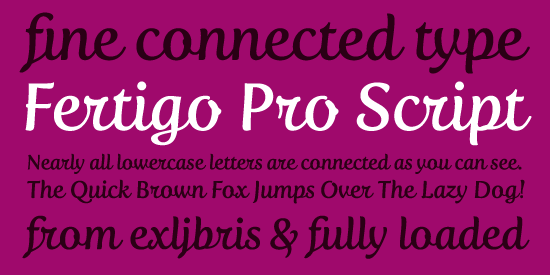
I look around, select fresh free high-quality fonts and present them to you in a brief overview. Today, you’ll find some very nice fonts to use for your work.