Make your own WordPress Drop-Down menu with CSS and jQuery

Make your own WordPress Drop-Down menu with CSS and jQuery

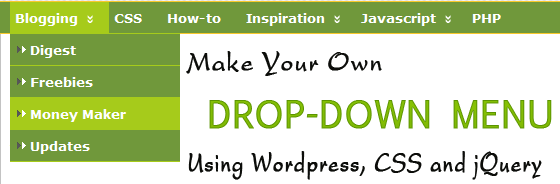
A drop down menu is often your best means of keeping the navigation simple and uncluttered, that can offer your theme and users 2 new things. One, add a nice new type of effect to enhance your theme. Two, allow the users to find things more easily. There are a few plugins that you can use to achieve this, but in this post, I’ll show you how to make your own Wordpress Drop-Down menu with CSS and jQuery and WordPress’s standard source code

Read more
10+ Essential WordPress Plugins to Backing Up your Database

10+ Essential WordPress Plugins to Backing Up your Database

Just imagine, then, the all-consuming sorrow of losing weeks, months or even years of blog posts or other site content. Your hosting company may provide a responsible backup service (or you may have a well-considered system in place if your site is self-hosted) but some extra insurance can be crucial if the unexpected happens (as it did for one of our client sites today).
Your backup must be up-to-date and it’s can store on your computer, anothers hosting server, anothers online storage service ..

Read more
How to Highlight Author Comments in WordPress using CSS

How to Highlight Author Comments in WordPress using CSS

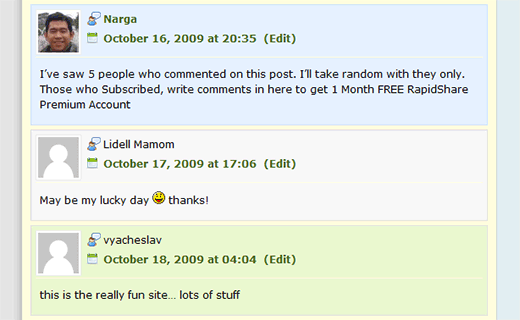
Many blogs highlight the author’s comment in the comments section. I’m talking about how to highlight comments posted by the author of the article. You can use many plugins to get this effect (For eg., the Highlight Author Comments Plugin) – but you don’t have to. Most snippets will target and try to find author’s email or user id, but that actually slows your site down. Why not using CSS selector and find author’s comment and change the background color so it is easily pointed out. Pretty smart. After that, it was a simple matter of times to see the result.

Read more
45+ Most Popular Social Bookmarking Link Codes for WordPress

45+ Most Popular Social Bookmarking Link Codes for WordPress

With Social Bookmark websites, users can save and categorize a personal collection of bookmarks and share them with others. Your visitors can now bookmark and submit your websites to all their favorite social bookmark services with the ease of a single click.
So how can we encourage more people to share our links? One of the easiest options is to include a set of links at the bottom of your posts which readers can click to automatically vote for your article. In this post, I’ve written the WordPress codes for 45+ of the most popular social bookmarking and networking sites out there.

Read more
WordPress 2.9 Carmen With New Features Every Developer Must Know

WordPress 2.9 Carmen With New Features Every Developer Must Know

On December 18th, 2009, WordPress Version 2.9, named in honor of magical jazz vocalist Carmen McRae, was released to the public before the year ends. You can upgrade easily from your Dashboard by going to Tools > Upgrade, or you can download from WordPress.org. The WordPress 2.9 requires MySQL 4.1.2 or greater.
You can read the full list of new features, changes, upgrades, and improvements on the WordPress Codex

Read more
How to list most recent comments and recent post in WordPress

How to list most recent comments and recent post in WordPress

Installing too many plugins will make the wordpress blog work slowly and unstable, use code built in your theme will reduce the system resources. I’ve known a ton of plugins and widgets that allows me to list recent comments and recent post on my WordPress blog but I’m not using it because I’ve integrated some useful code below then I get results similar to those extensions which I’ve known.

Read more

Mastering Worpress [gallery] shortcode

From WordPress 2.5, the Gallery feature allows the option to add an image gallery to a Post or Page on your WordPress blog.
Upload all your photos and simply type the shortcode [gallery in a post or page to display a thumbnail gallery of images attached to that post or page. Clicking on a thumbnail image will open either the original image or a larger image in a separate Attachment page.

Read more